
创建Jenkins流水线测试任务
创建任务
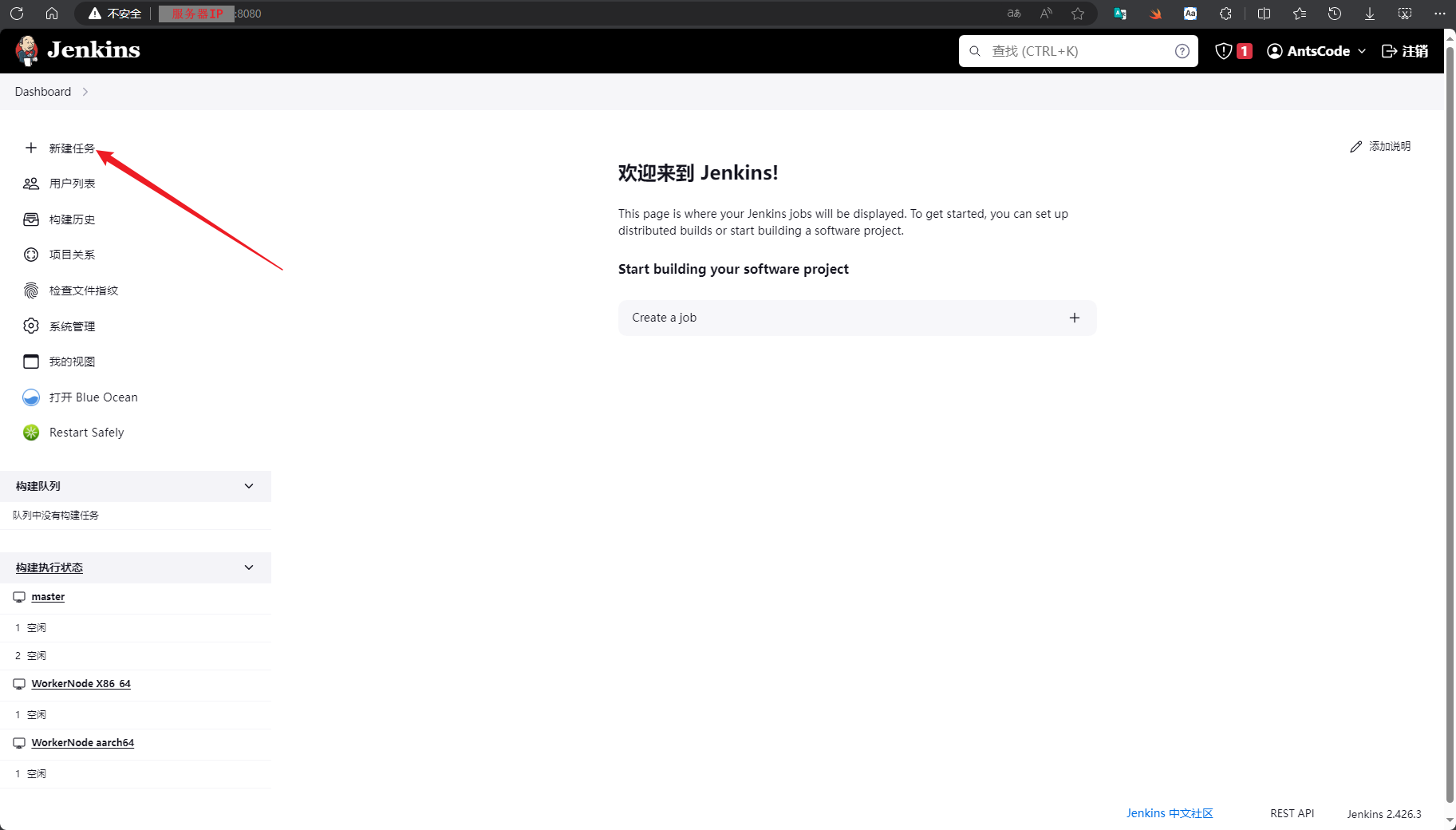
- 创建流水线。进入Jenkins主页,在左侧树单击“新建任务”。图1 创建pipeline任务1
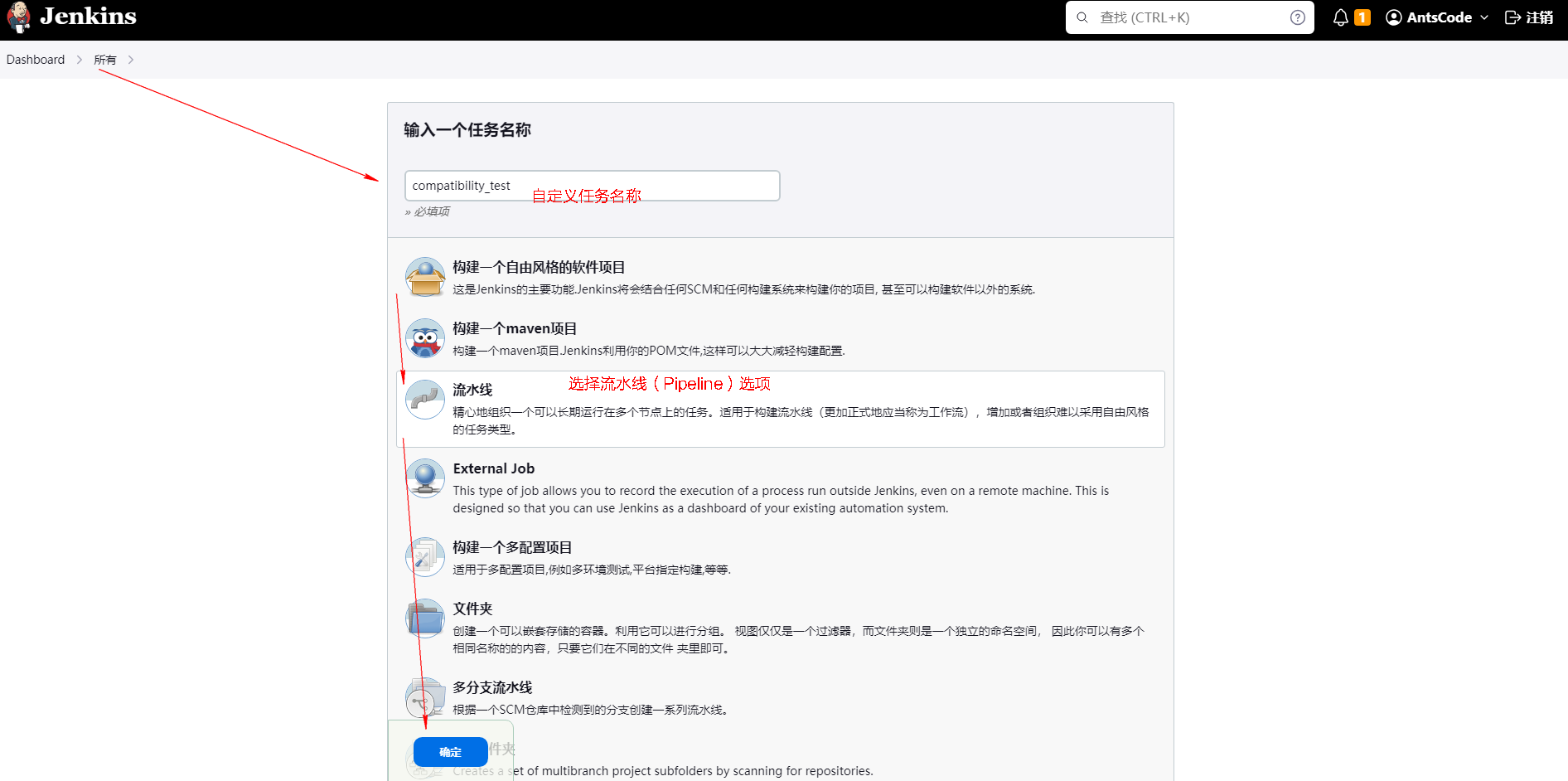
- 打开新建任务页面,填写任务名称,选择流水线选项,单击“确定”按钮创建任务。图2 创建pipeline任务2
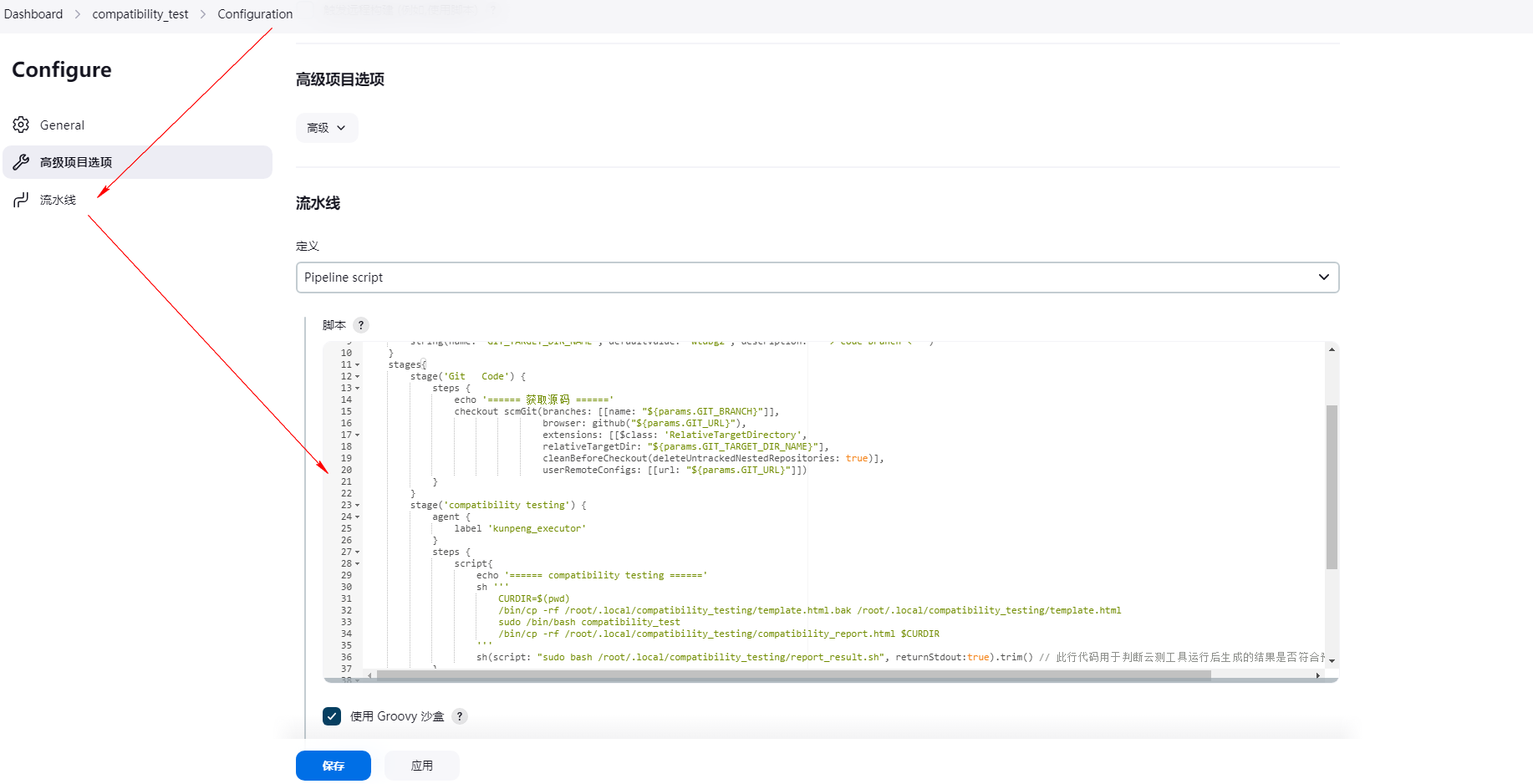
- 进入到新创建的Pipeline任务中,左侧树单击“配置”,打开配置页面。将groovy脚本样例复制到流水线配置的脚本中,最后单击“保存”。图3 创建pipeline任务3
- 单击任务左侧树“立即构建”,执行任务。图4 立即构建
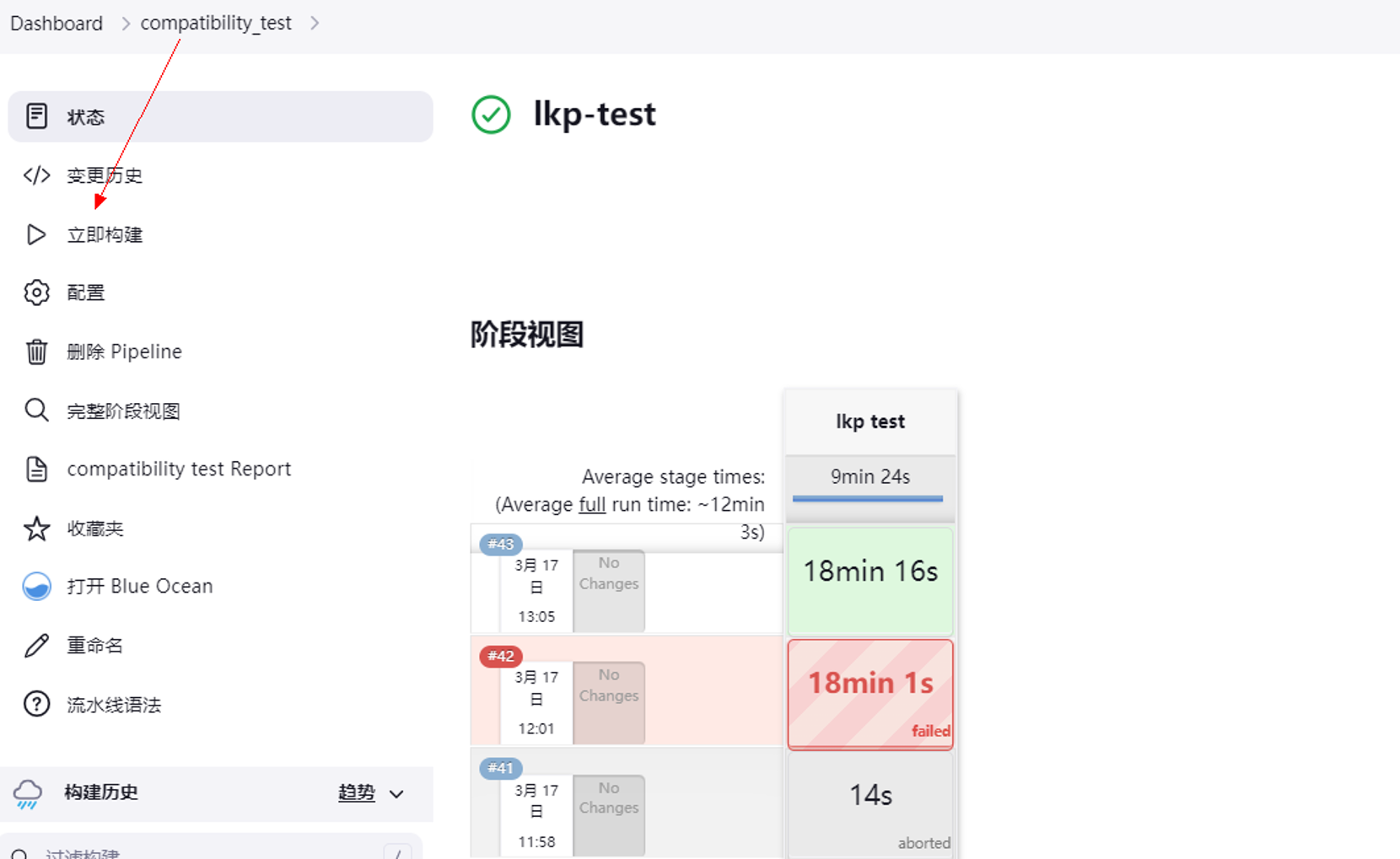
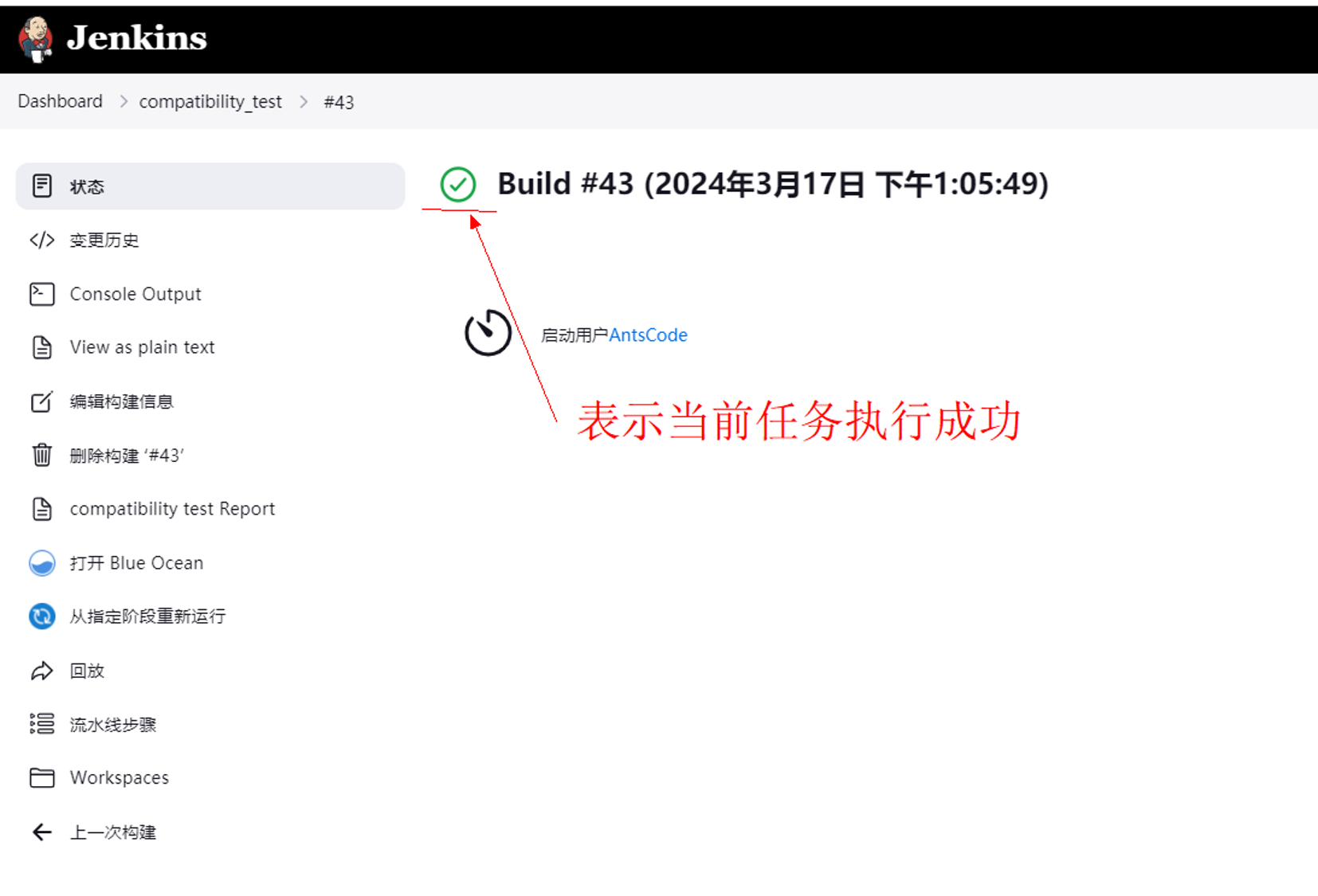
- 查看任务执行状态。图5 查看执行状态
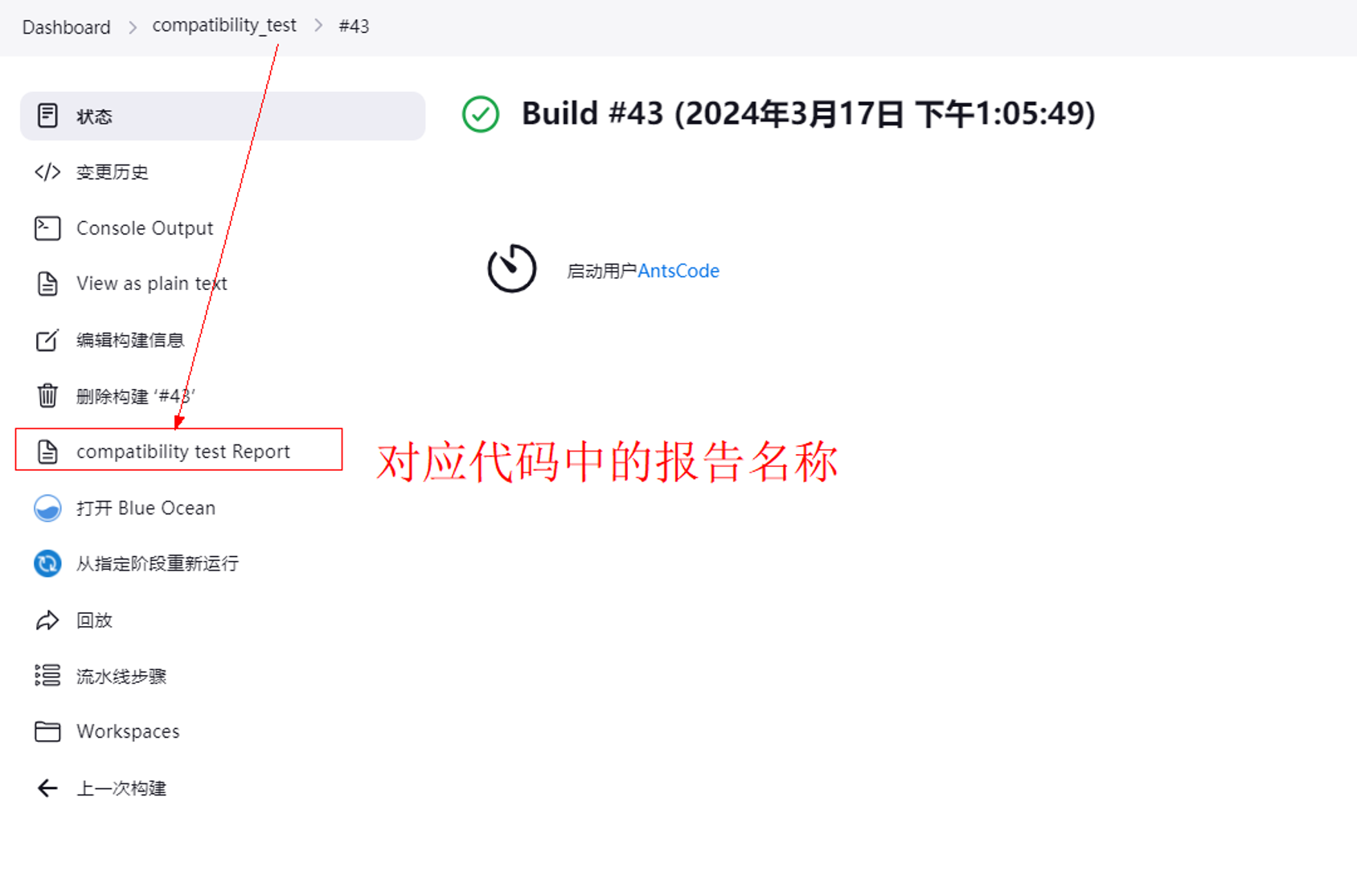
- 单击左侧树对应代码中的报告名称,如图6所示。
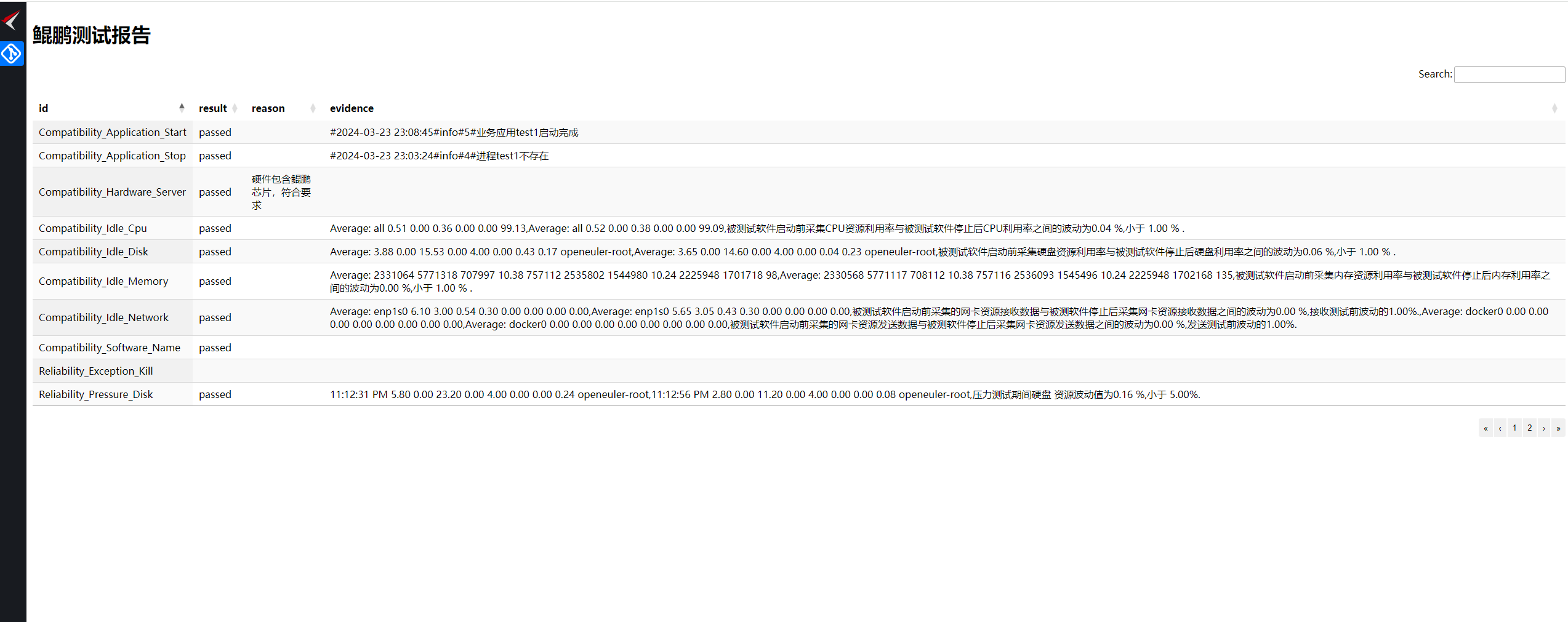
- 查看报告内容图7 报告内容
Jenkins流水线测试代码示例
Jenkins Pipeline中集成测试工具,请确保运行的用户拥有root权限。
pipeline {
    agent any
    options {
        timeout(time: 1, unit: 'HOURS')
        }
    parameters {
        string(name: 'GIT_URL', defaultValue: 'https://github.com/ruanjue/wtdbg2.git', description: '--> git url <--')
        string(name: 'GIT_BRANCH', defaultValue: 'v2.5', description: '--> code branch <--')
        string(name: 'GIT_TARGET_DIR_NAME', defaultValue: 'wtdbg2', description: '--> code branch <--')
    }
    stages{
        stage('Git   Code') {
            steps {
             agent {
                label 'kunpeng_scanner' //对应添加节点时的标签,可选择多个
            }
                echo '====== 获取源码 ======'
                checkout scmGit(branches: [[name: "${params.GIT_BRANCH}"]],
                                browser: github("${params.GIT_URL}"),
                                extensions: [[$class: 'RelativeTargetDirectory',
                                relativeTargetDir: "${params.GIT_TARGET_DIR_NAME}"],
                                cleanBeforeCheckout(deleteUntrackedNestedRepositories: true)],
                                userRemoteConfigs: [[url: "${params.GIT_URL}"]])
            }
        }
        stage('compatibility testing') {
            agent {
                label 'kunpeng_compatibility'
            }
            steps {
                script{
                    echo '====== compatibility testing ======'
                    sh '''
                        CURDIR=$(pwd)
                        /bin/cp -rf /root/.local/compatibility_testing/template.html.bak /root/.local/compatibility_testing/template.html
                        sudo /bin/bash /root/.local/compatibility_testing/bin/compatibility_test//若为root用户执行,请去掉“sudo”命令
                        /bin/cp -rf /root/.local/compatibility_testing/compatibility_report.html $CURDIR
                    '''
               }
            }
            post {
                always {
                    publishHTML(target: [allowMissing: false,
                                            alwaysLinkToLastBuild: false,
                                            keepAll              : true,
                                            reportDir            : '.',
                                            reportFiles          : 'compatibility_report.html',
                                            reportName           : 'compatibility test Report']
                    )
                }
            }
        }
    }
}
父主题: 兼容性测试工具