Deploying Core Components
To build a secure virtualization environment and to support isolated execution and secure boot for TEEs, the required software components must be deployed. This section describes how to deploy libvirt, QEMU, the host kernel, and EDK2.
Deploying libvirt
- Install libvirt from the openEuler 24.03 LTS SP3 repository.
- View information about the libvirt software package in the system.
yum list | grep libvirt

- Install the libvirt software package whose version is 16 or later.
yum install -y libvirt
- View information about the libvirt software package in the system.
- Verify that the installed version contains the main command word for secure memory observability.
virsh help | grep tmm

- If you need to input the dtb dump parameter when starting libvirt, modify the libvirt configuration to ensure that the QEMU startup user is the same as the current OS user.
- View the current user.
whoami

- Open the /etc/libvirt/qemu.conf file.
vim /etc/libvirt/qemu.conf
- Press i to enter the insert mode and change the values of user and group to root.
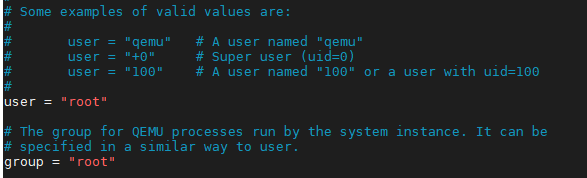
- Press Esc to exit the insert mode. Type :wq! and press Enter to save the file and exit.
- Check the libvirtd status.
systemctl status libvirtd
If the libvirtd status is inactive, run the following command to start libvirtd. Otherwise, skip this step to step 3.f.systemctl start libvirtd
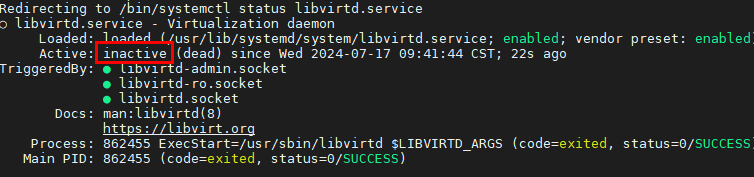
- Reload the libvirtd configuration.
systemctl reload libvirtd
- View the current user.
Deploying QEMU
- Check the QEMU version from the openEuler 24.03 LTS SP3 repository, and install the QEMU package of version 37 or later.
yum list | grep qemu

- Install QEMU from the openEuler 24.03 LTS SP3 repository.
yum install -y qemu liburing-devel telnet
The default QEMU path is /usr/libexec/qemu-kvm.
Deploying the Host Kernel
- Install the kernel from the openEuler 24.03 LTS SP3 repository.
- View the kernel.aarch64 version from the openEuler 24.03 LTS SP3 repository.
yum list | grep kernel.aarch64

- Install the kernel.
yum install -y kernel
- View the kernel.aarch64 version from the openEuler 24.03 LTS SP3 repository.
- Add the boot parameter to the newly installed kernel.
- Open the grub.cfg file.
vim /boot/efi/EFI/openEuler/grub.cfg
- Press i to enter the insert mode and set the startup parameter virtcca_cvm_host to 1.
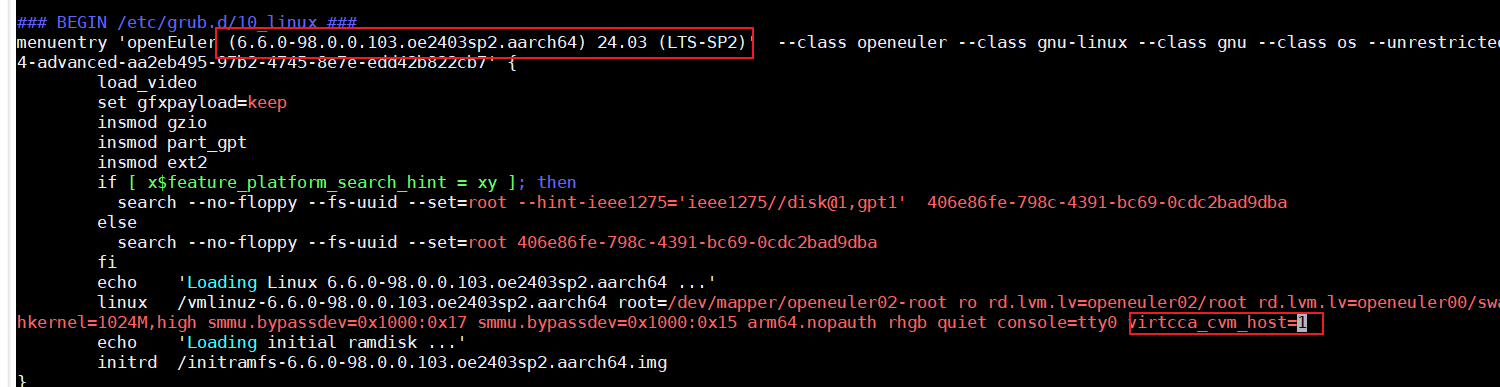
- Press Esc to exit the insert mode. Type :wq! and press Enter to save the file and exit.
- Open the grub.cfg file.
- After a system reboot, select the target kernel on the GRUB boot screen.
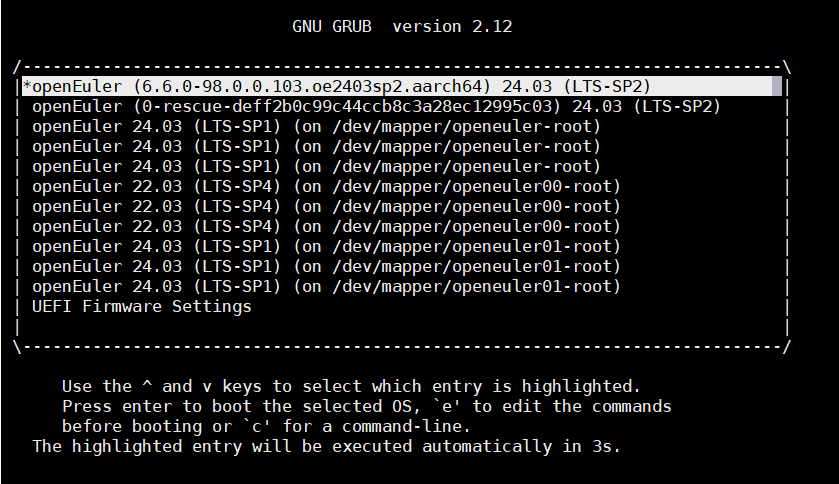
Deploying EDK2
- Install EDK2.
- View the edk2-aarch64 version from the openEuler 24.03 LTS SP3 repository.
yum list | grep edk2-aarch64

- Install version 23 or later of edk2-aarch64.
yum install edk2-aarch64 -y
- View the edk2-aarch64 version from the openEuler 24.03 LTS SP3 repository.
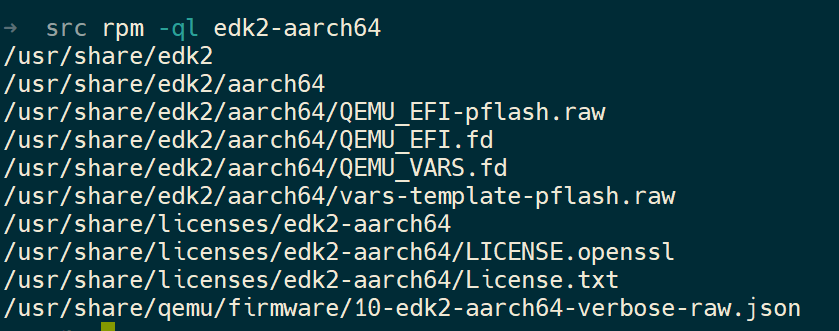
- After the installation is complete, view the edk2-aarch64 path.
rpm -ql edk2-aarch64
- Set the size of the QEMU_EFI.fd file to a multiplier of 64 MB.
fallocate -l $((64 * 1024 * 1024)) /usr/share/edk2/aarch64/QEMU_EFI.fd
Parent topic: Software Deployment