Enabling Secure Memory Encryption
Secure Memory Encryption (SME) is a hardware-based memory encryption technology, which helps defend data against certain cold boot and physical attacks. It transparently encrypts all physical memory and requires no software intervention or support. This section describes how to use this technology.

- For any read or write operation in the secure memory, the hardware automatically decrypts and encrypts memory pages.
- Only the secure physical memory can be encrypted. When the TEE function is enabled, secure memory encryption is disabled by default. To enable secure memory encryption, perform the following steps.
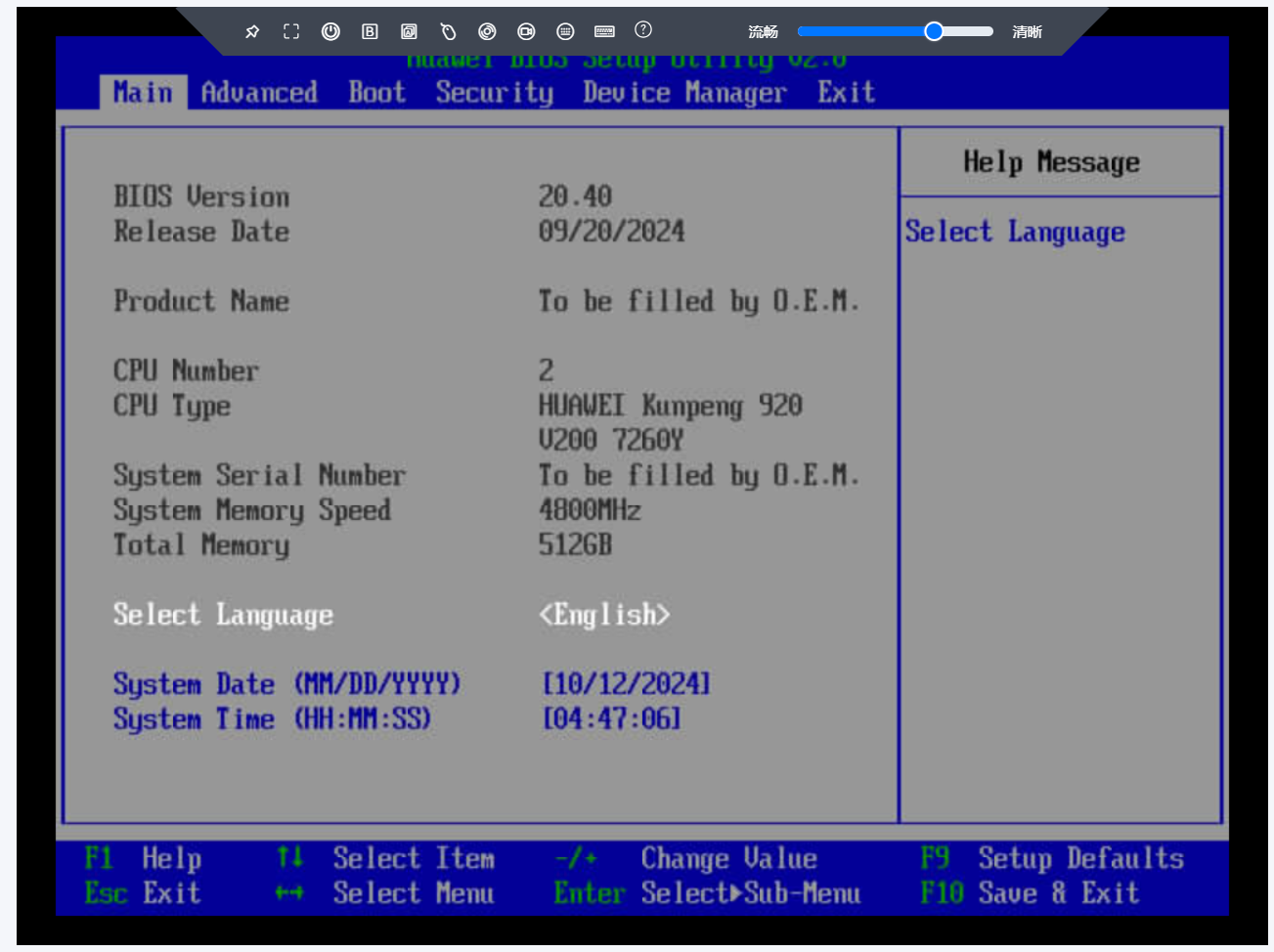
- Power on the server and go to the BIOS menus.
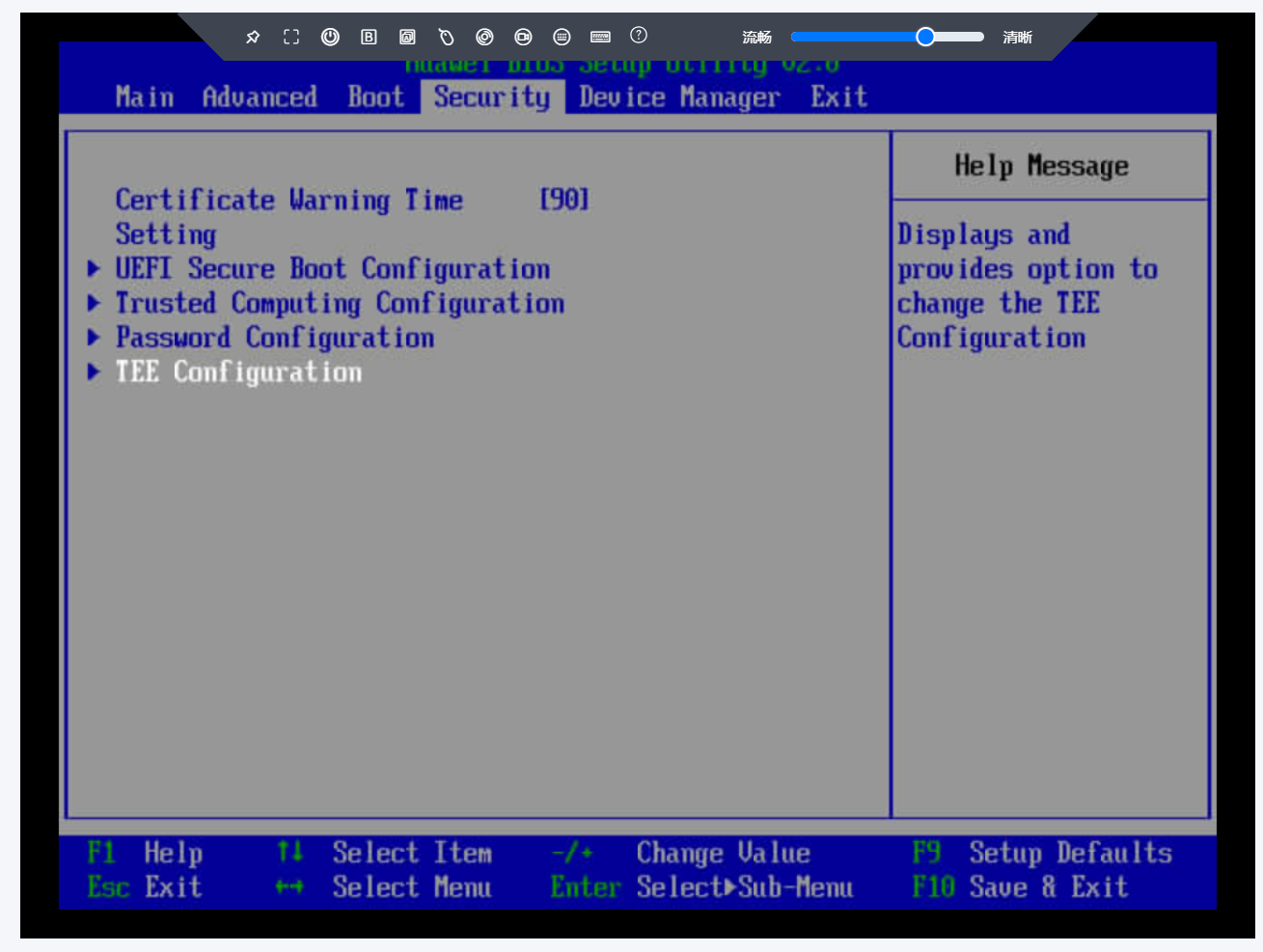
- Choose Security > TEE Configuration.
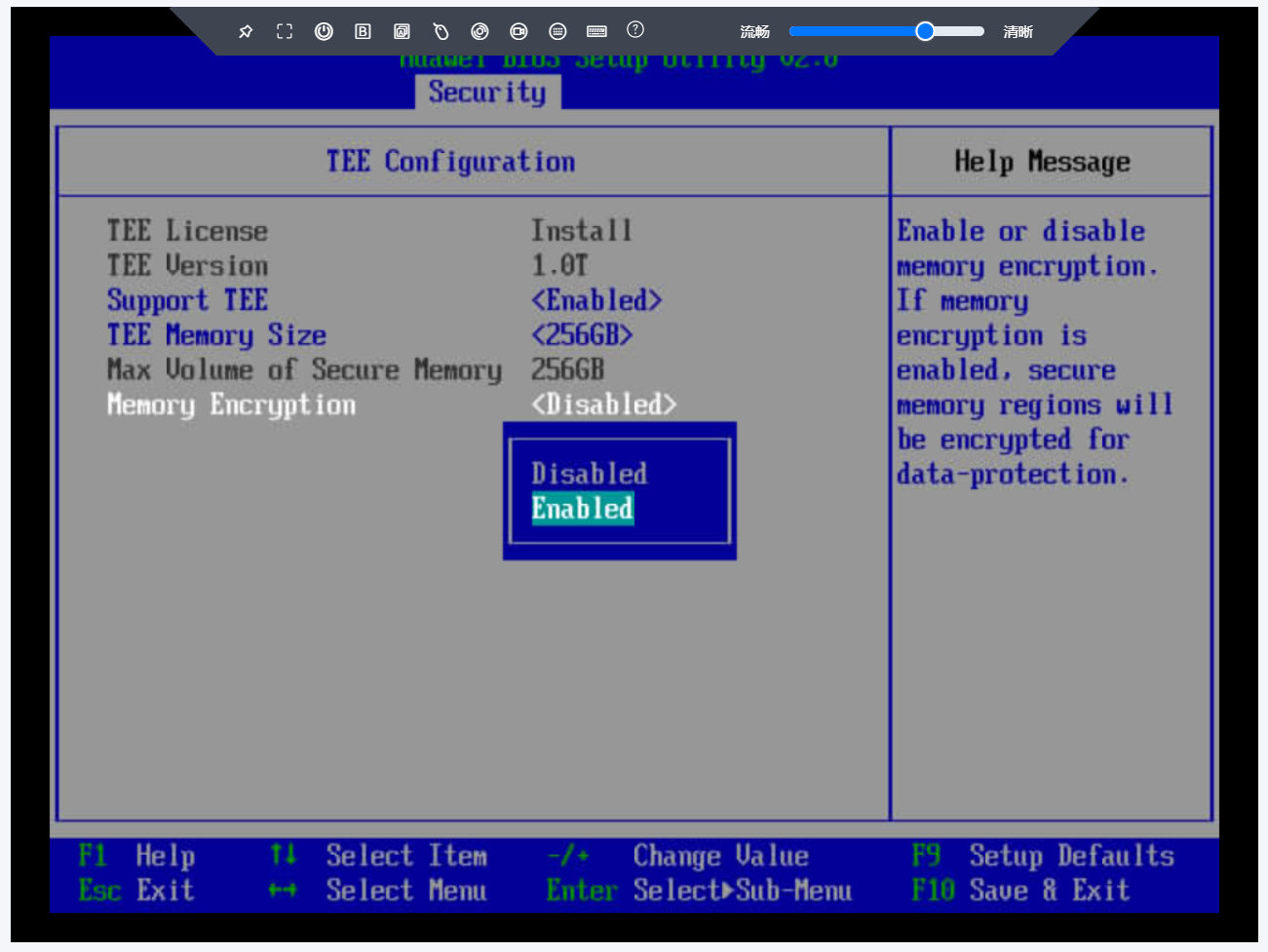
- Set Memory Encryption to Enabled.
- Press F10 to save the BIOS setting and restart the server for secure memory encryption to take effect.
Parent topic: Feature Usage