Configuring CCA Support
If the TEE license file has been imported, you can enable or disable the CCA feature using BIOS configuration options.
- Restart or power on the server and log in to the BIOS.
- On the BIOS setup screen, choose .
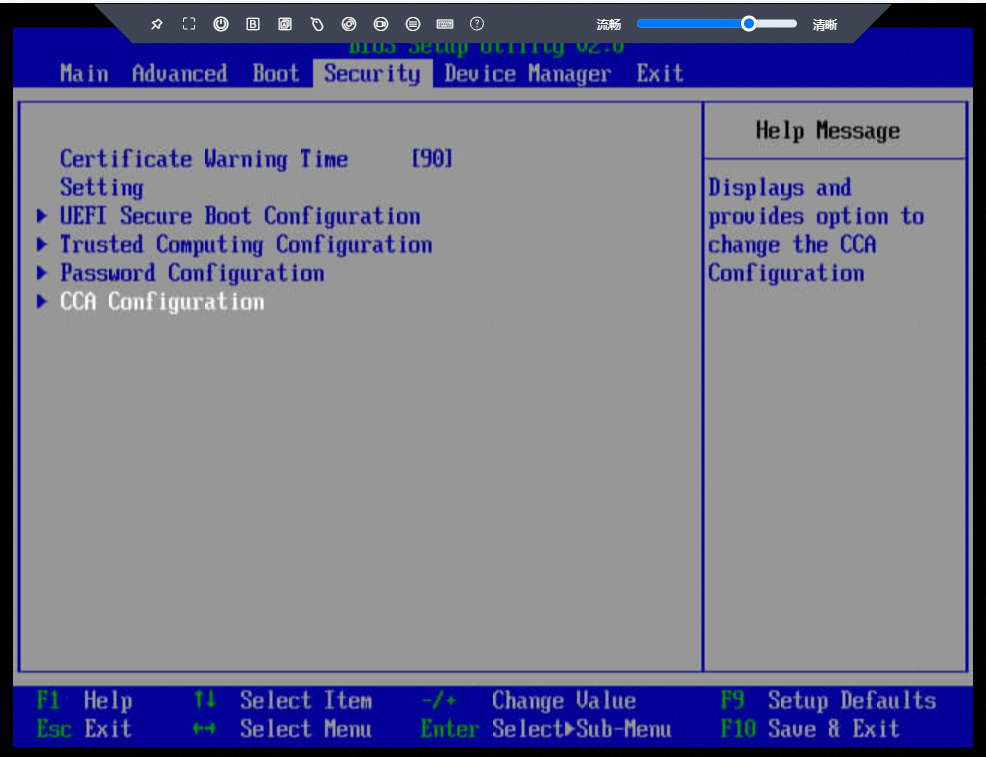
- Set Support CCA to Enabled.
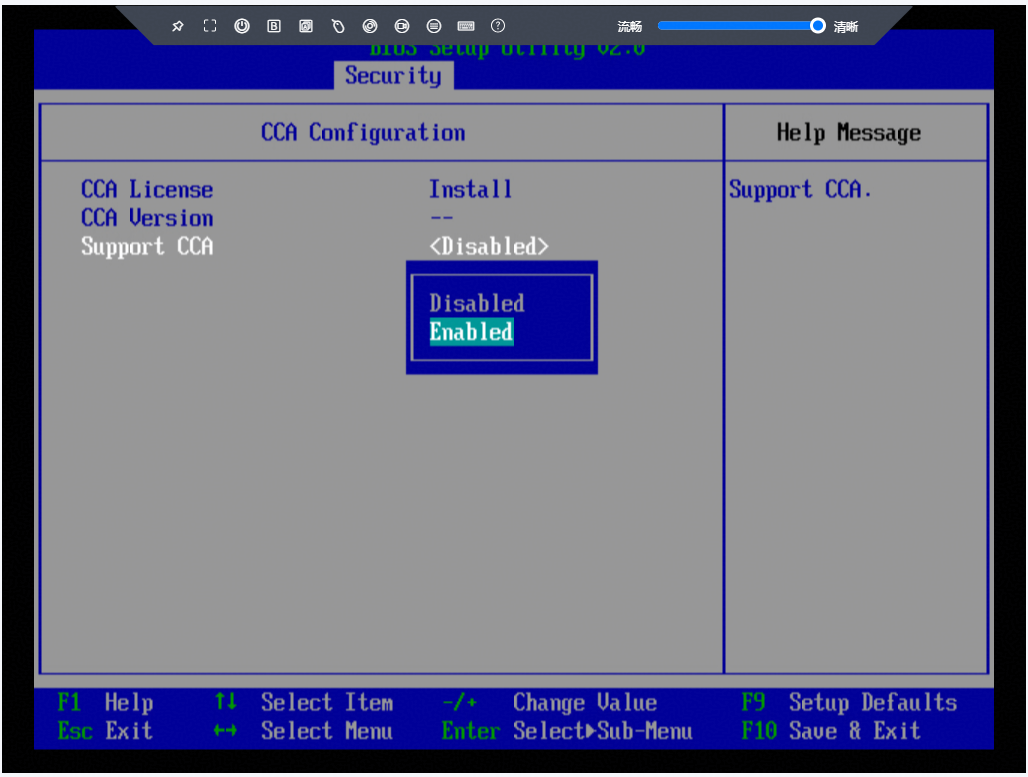
- Press F10 to save the settings and exit the BIOS.
Parent topic: Software Deployment