Enabling Device Passthrough
Enabling device passthrough involves activating CCA and SMMU security features, as well as enabling kernel features. This is applicable to scenarios that require confidential virtualization or secure isolation.

- Currently, CCA device passthrough does not support Stage 1 SMMU, meaning it cannot prevent malicious devices from accessing unauthorized memory within the VM.
- The CCA device passthrough function does not support device authentication.
Adding Boot Parameters to the Host
- Open the grub.cfg file.
vim /boot/efi/EFI/openEuler/grub.cfg
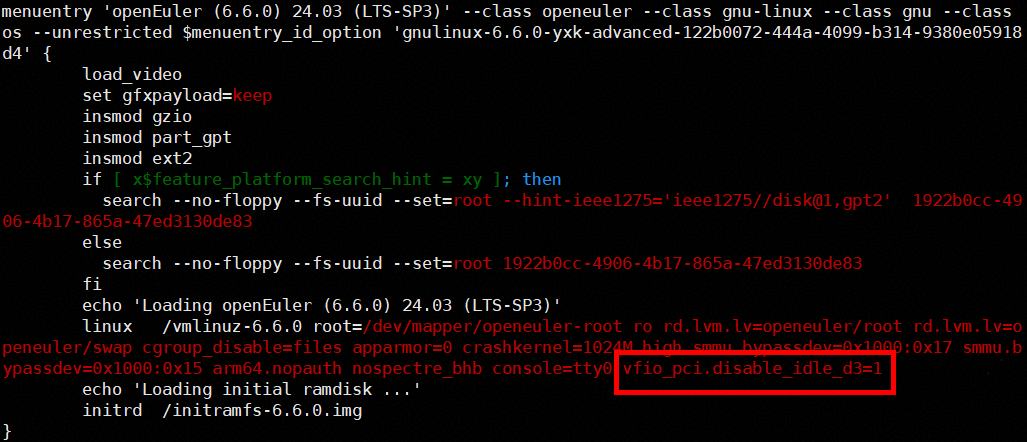
- Press i to enter the insert mode and add the following parameters to the HOST OS location:
vfio_pci.disable_idle_d3=1
- Press Esc to exit the insert mode. Type :wq! and press Enter to save the file and exit.
Parent topic: Enabling Confidential Device Passthrough