Configuring TEE Support
If the TEE license file has been imported, you can enable or disable the TEE and configure the TEE secure memory size using BIOS configuration options.
- Restart or power on the server and log in to the BIOS.
- On the BIOS setup screen, choose .
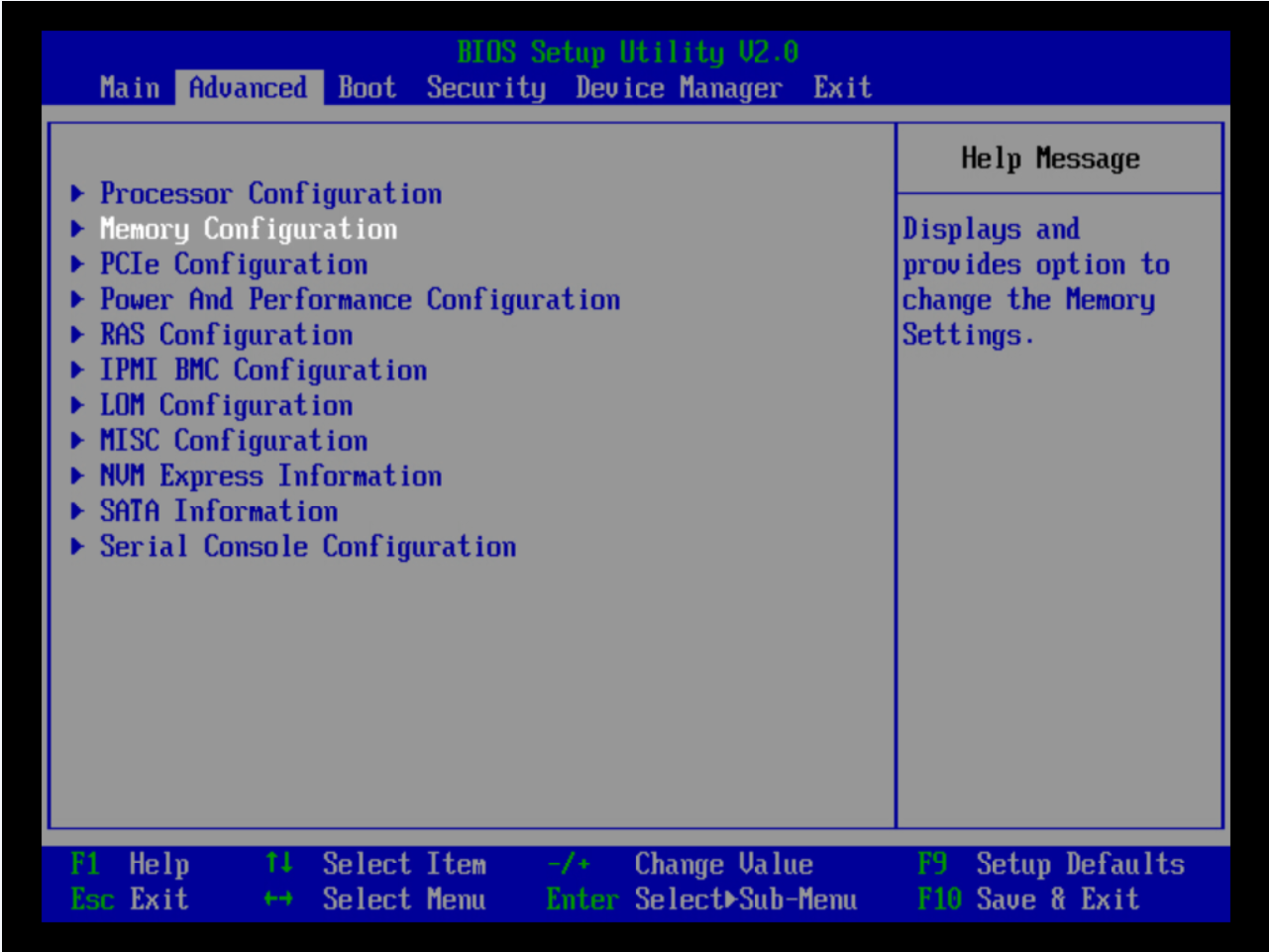
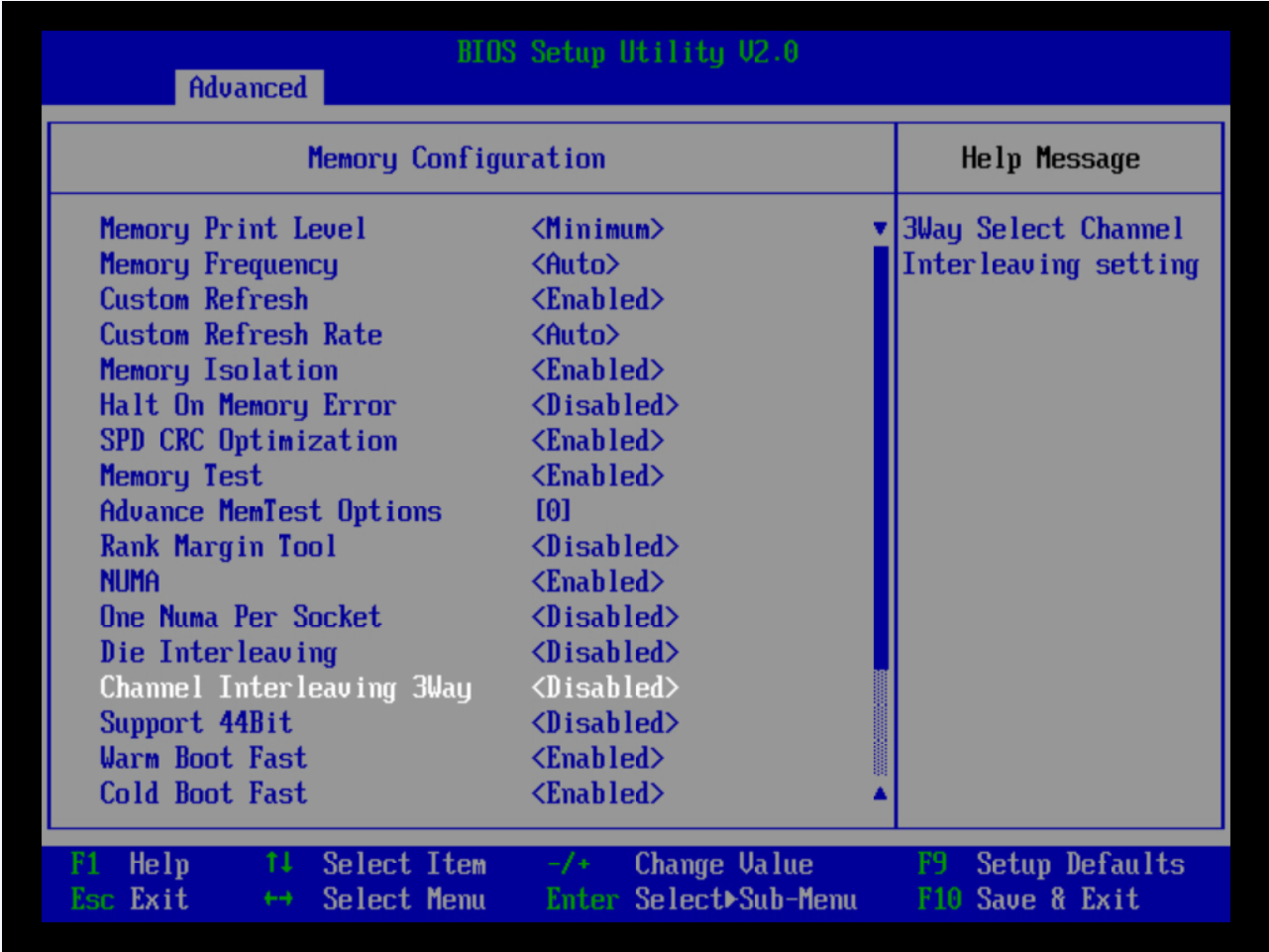
- Set Channel Interleaving 3Way to Disabled.
- On the BIOS setup screen, choose .
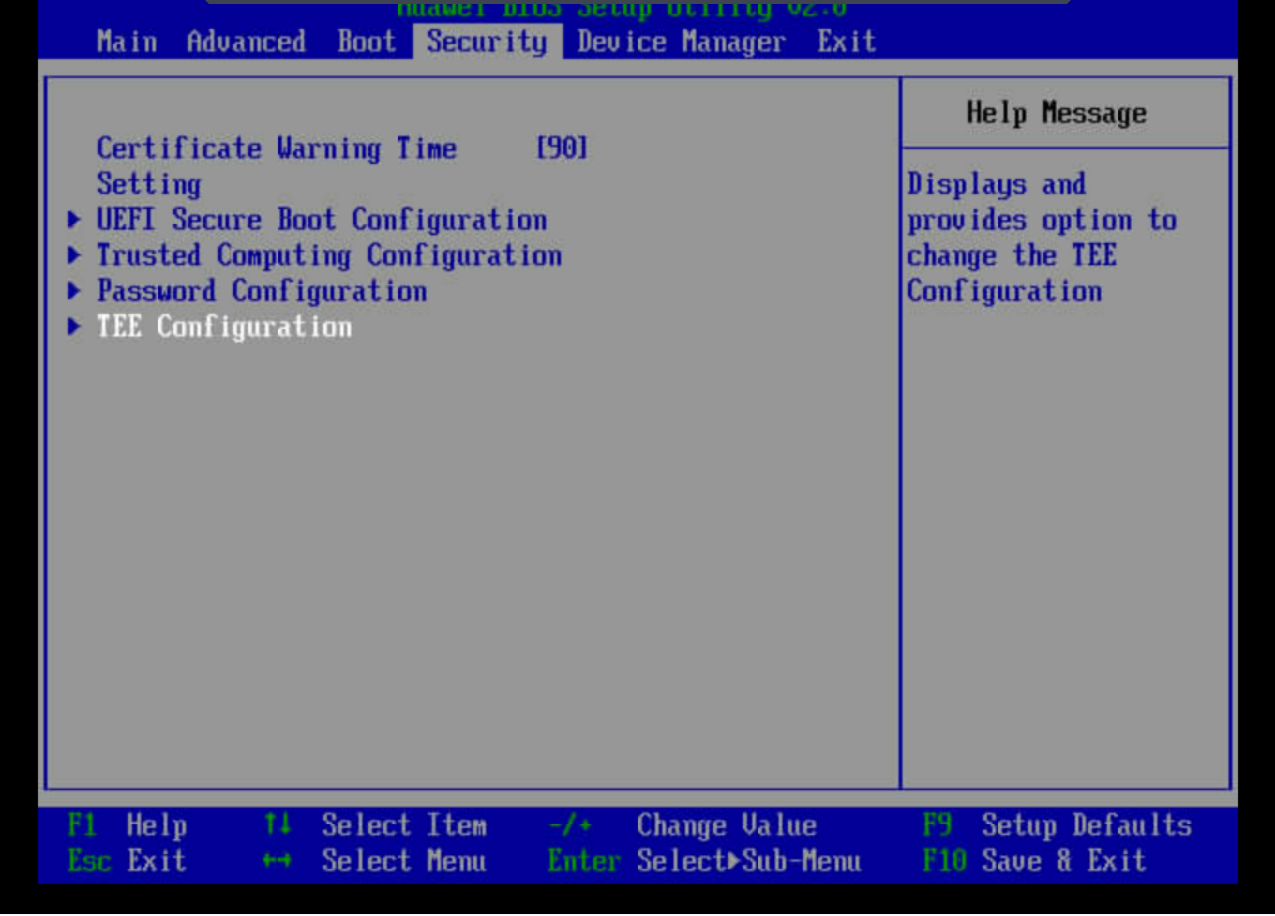
- Set Support TEE to Enabled.
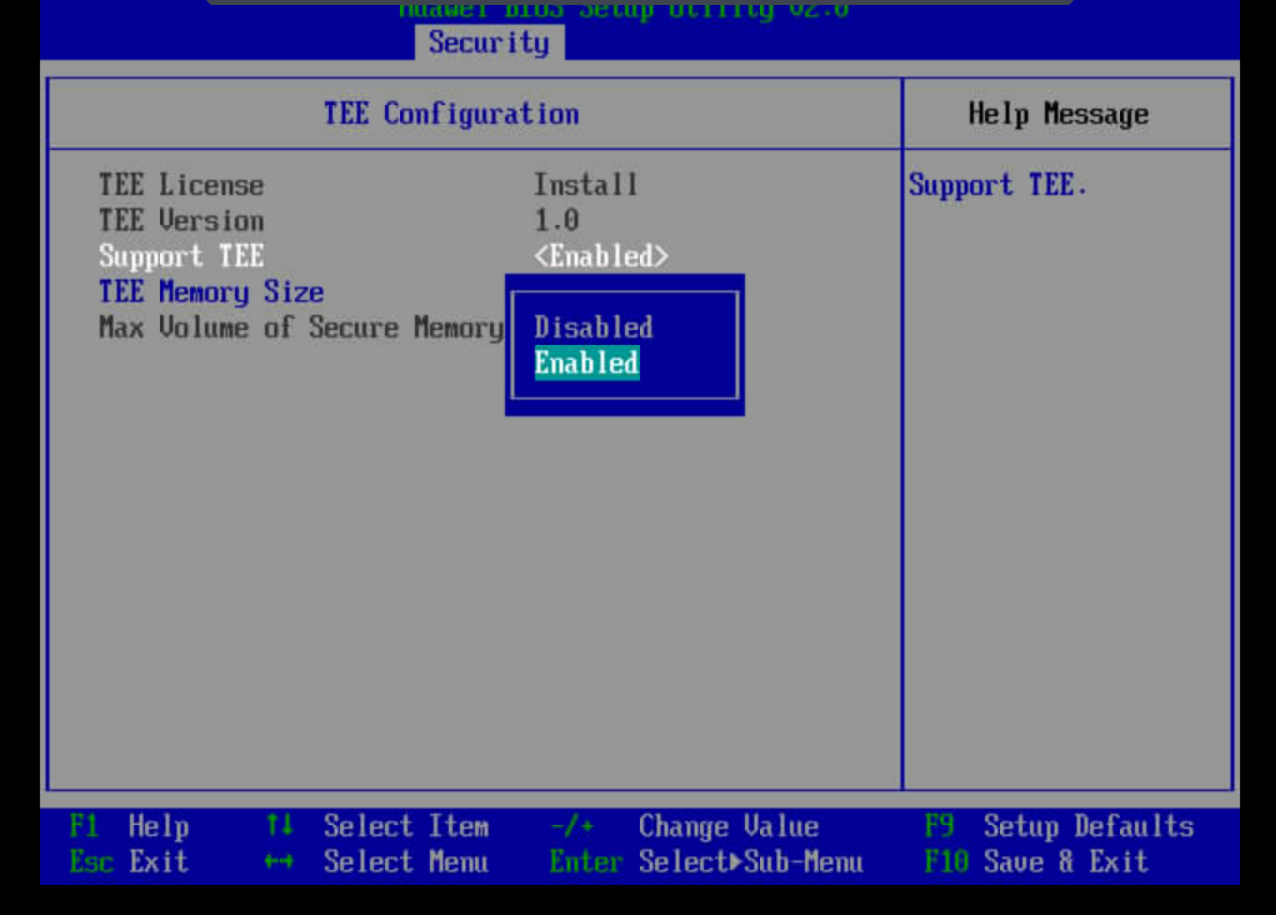
- Set the TEE secure memory size based on your service requirement.
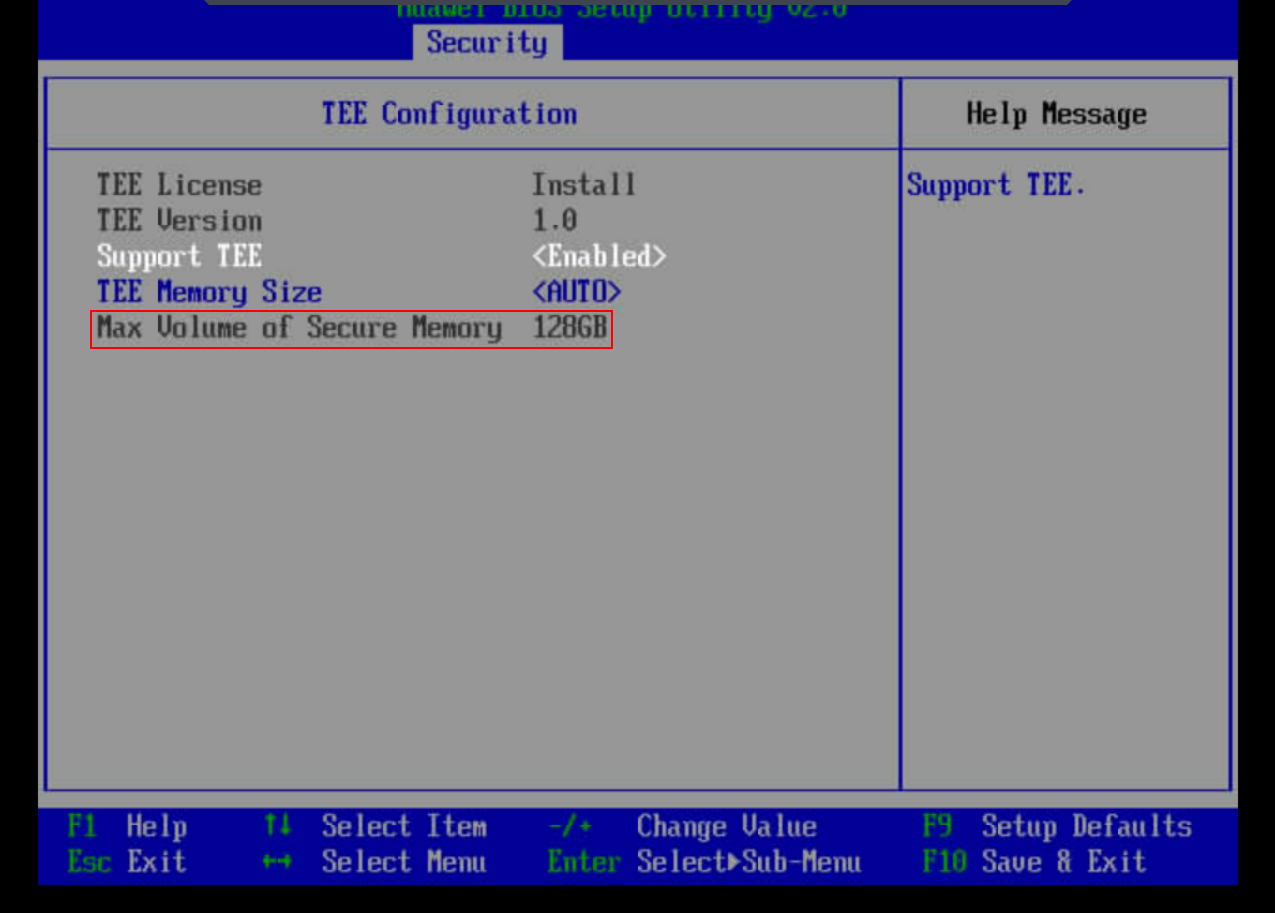

- Max Volume of Secure Memory indicates the maximum secure memory size allowed when the memory space is evenly allocated from NUMA nodes.
- Set the desired secure memory size from the TEE Memory Size drop-down list. In AUTO mode, as much secure memory as possible is allocated while even allocation across NUMA nodes is not considered.
- Press F10 to save the settings and exit the BIOS.
Parent topic: Software Deployment