Direct Access of cVMs to the KAE Device on OpenStack
OpenStack enables cVMs to directly access the KAE device on a server that is equipped with virtCCA and KAE capabilities.
- Configure a certificate for compute nodes by following instructions in Importing the KAE License File.
- Configure a QCOW2 image that has the KAE driver inside.
- If the current OS uses a user-compiled kernel, specify the kernel source code path.
ln -s <kernel_path> /usr/src/kernels/$(uname -r)
- Download the QCOW2 image creation script.
git clone https://gitcode.com/openeuler/virtCCA_sdk.git
- Add -k when invoking the script, and then the KAE driver is downloaded and compiled. Add the KAE driver to the image and configure it to be loaded upon system startup.
cd virtCCA_sdk/cvm-image-rewriter/
sh create-oe-image.sh -v 24.03-LTS-SP3 -k
- Upload the image.
openstack image create kae --file ./openEuler-24.03-LTS-SP3-cvm-aarch64.qcow2 --disk-format qcow2 --container-format bare --public
- If the current OS uses a user-compiled kernel, specify the kernel source code path.
- Create a cVM directly connected to the KAE device.
- Create a cVM flavor for the direct connection. Set the number of KAE VFs (${vf_nums}).
openstack flavor create kae-flavor \
--vcpus 4 --ram 8192 --disk 50 \
--property trait:HW_CPU_AARCH64_HISI_VIRTCCA=required \
--property trait:HW_CPU_AARCH64_HISI_KAE=required \
--property hw:mem_secure=true \
--property sw:qemu_cmdline="tmm-guest,id=tmm0,num-pmu-counters=1,kae=${vf_nums}"
- Each cVM supports a maximum of 11 KAE VFs. The value of ${vf_nums} must be greater than 0 and less than or equal to 11.
- A single compute node, that is, a single physical server, supports a maximum of 48 KAE VFs.
- Create a cVM that can directly access the KAE device.
openstack server create --image kae \
--flavor kae-flavor \
--network public-network \
kae_server
- After the cVM is deployed, run the virsh command on the compute node to access the VM console. The KAE device is displayed.
virsh console ${domain_id}
ll /sys/class/uacce/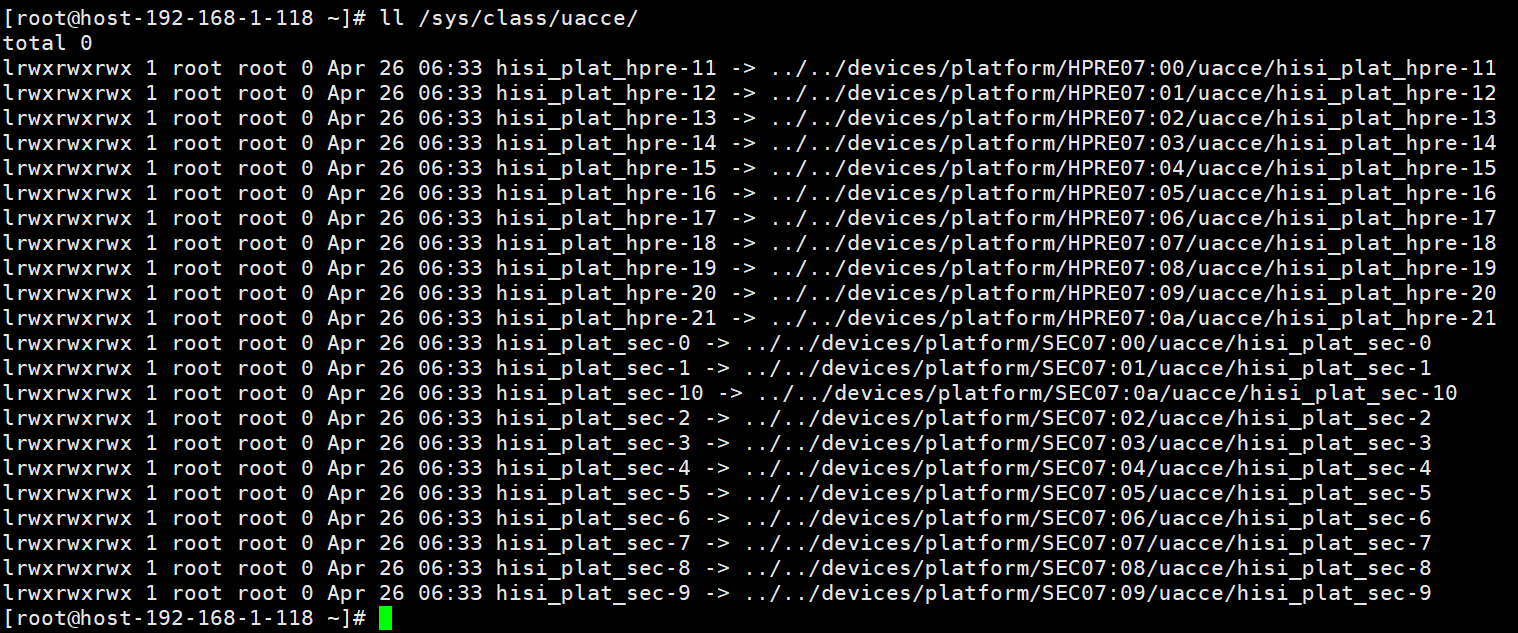
- Create a cVM flavor for the direct connection. Set the number of KAE VFs (${vf_nums}).
Parent topic: Enabling cVM Management on a Cloud Platform