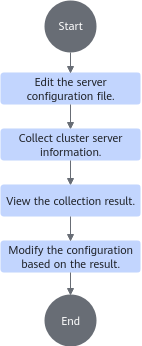
Collecting Remote Cluster Information
Use the
Prerequisites
The Kunpeng Health Inspector is installed in /home/devkit-kspect-x.x.x-Linux-aarch64.
Procedure
- Extract the package and go to the tool directory.
1
2
tar -zxvf /home/devkit-kspect-x.x.x-Linux-aarch64.tar.gz
cd /home/devkit-kspect-x.x.x-Linux-aarch64

- Replace the example tool path /home/devkit-kspect-x.x.x-Linux-aarch64 with the actual path.
- To ensure a stable SSH connection, you are advised to verify that the SSH client configuration on the local host (the host on which the Kunpeng Health Inspector is running) is compatible before collecting data. If your system is a newer Linux distribution (such as RHEL/CentOS 8/9 or Ubuntu 22.04 or later), configuration conflicts may cause data collection to fail. For details, see "'Match all' with No Other Mixed Conditions" Error During Data Collection.
- Use Excel to edit the server_config.xlsx template file in the /home/devkit-kspect-x.x.x-Linux-aarch64/documents directory.

- The password in the server configuration file is stored in plaintext in the Excel file, posing a risk of information disclosure.
- You are advised to clear the file content or store the file properly after use.
- You are advised to set file access permissions to protect sensitive information after using the Excel configuration file.
Table 1 Parameters in the server configuration file Parameter
Description
Server Alias
(Optional) Alias of the server whose data is to be collected.
IP Address
(Mandatory) IP address of the server whose data is to be collected.
Port
(Optional) Port number of the server whose data is to be collected. The default value is 22.
User Name
(Mandatory) OS user name of the server whose data is to be collected.
Authentication Mode
(Mandatory) Server login mode. The options are as follows:
- password: Set the Password parameter.
- private_key: Set Private Key Path and (optional) Private Key Password.
Password
(Optional) User password. This parameter is required only when the authentication mode is set to password.
Private Key Path
(Optional) This parameter is required only when the authentication mode is set to private_key.
Private Key Password
(Optional) This parameter is required only when the authentication mode is private_key and the private key file has a password.
BMC Collection Method(Optional) BMC collection mode.
- password: Use the BMC user name and password for login. You need to enter the BMC IP address, BMC user name, and BMC password.
- In-band: The remote node must support
in-band collection. Otherwise, the collection will be skipped automatically. - Default: BMC data is not collected.
BMC IP
(Optional) BMC IP address. This parameter is required only when the BMC collection mode is set to password.
BMC User Name
(Optional) BMC user name. This parameter is required only when the BMC collection mode is set to password.
iBMC Password
(Optional) BMC password. This parameter is required only when the BMC collection mode is set to password.
- Collect server cluster information.
1./kspect cluster -i /home/server-config-xxxxxxx-xxxx.xlsx
- Replace the example path /home/server-config-xxxxxxx-xxxx.xlsx with the actual Excel file path, which can be absolute or relative.
- If server cluster information fails to be collected, resolve the issue following instructions in Some Connections Fail During High-Concurrency Data Collection.
The tool collects information about the servers in the configuration file one by one, displays whether the collection is successful, and reports the collection details and report storage directory.
Command output:
1
2
3
4
5
6
7
8
Succeeded in reading the configuration file: /home/server-config-xxxxxxx-xxxx.xlsx
Data of the following servers starts to be collected: 192.168.x.1:22(101); 192.168.x.2:22(102);

Data of 192.168.x.1:22(101) is successfully collected.
The archive file /home/devkit-kspect-x.x.x-Linux-aarch64/output/kspect-report-xxxxxxxx-xxxxxx-xxx.xxx.xxx.xxx-22.tar.gz has been generated.
Data of 192.168.x.2:22(102) is successfully collected.
The archive file /home/devkit-kspect-x.x.x-Linux-aarch64/output/kspect-report-xxxxxxxx-xxxxxx-xxx.xxx.xxx.xxx-22.tar.gz has been generated.
Collection completed: 2/2 succeeded.
- View the collection result.
1./kspect report -h
The collected package is automatically extracted. The extracted file contains the full information file (HTML/JSON/CSV) and dmesg log file. You can view the HTML file using a browser.
Command output:
1
2
3
4
5
6
7
8
...
...
    -r REPORT, --report REPORT
    Indicates the report to be displayed. (You can also enter the report path. Tool collection reports and reported generated using diff/diff_x86 are supported.
    1: /home/devkit-kspect-x.x.x-Linux-aarch64/output/kspect-report-xxxxxxxx-xxxxxx/kspect-json-xxxxxxxx-xxxxxx.json <xxxx-xx-xx xx:xx:xx>
    2: /home/devkit-kspect-x.x.x-Linux-aarch64/output/kspect-report-xxxxxxxx-xxxxxx/kspect-json-xxxxxxxx-xxxxxx.json <xxxx-xx-xx xx:xx:xx>
...
...
- View the first collection report.
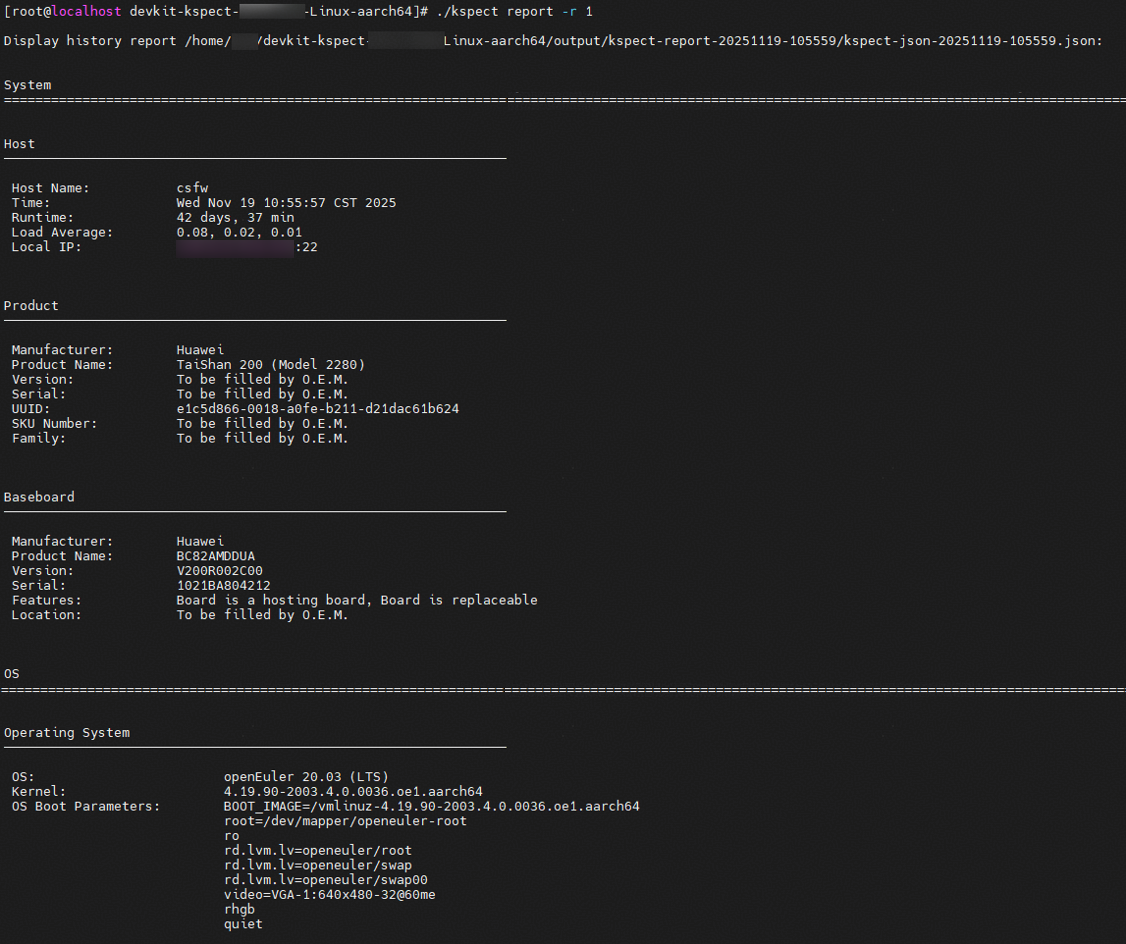
1./kspect report -r 1
Figure 2 Report content
- Compare the two reports.In the report, the data items that exceed the threshold and different configuration items are marked in red to facilitate subsequent operations such as unified server configuration.
1./kspect report -d 1,2
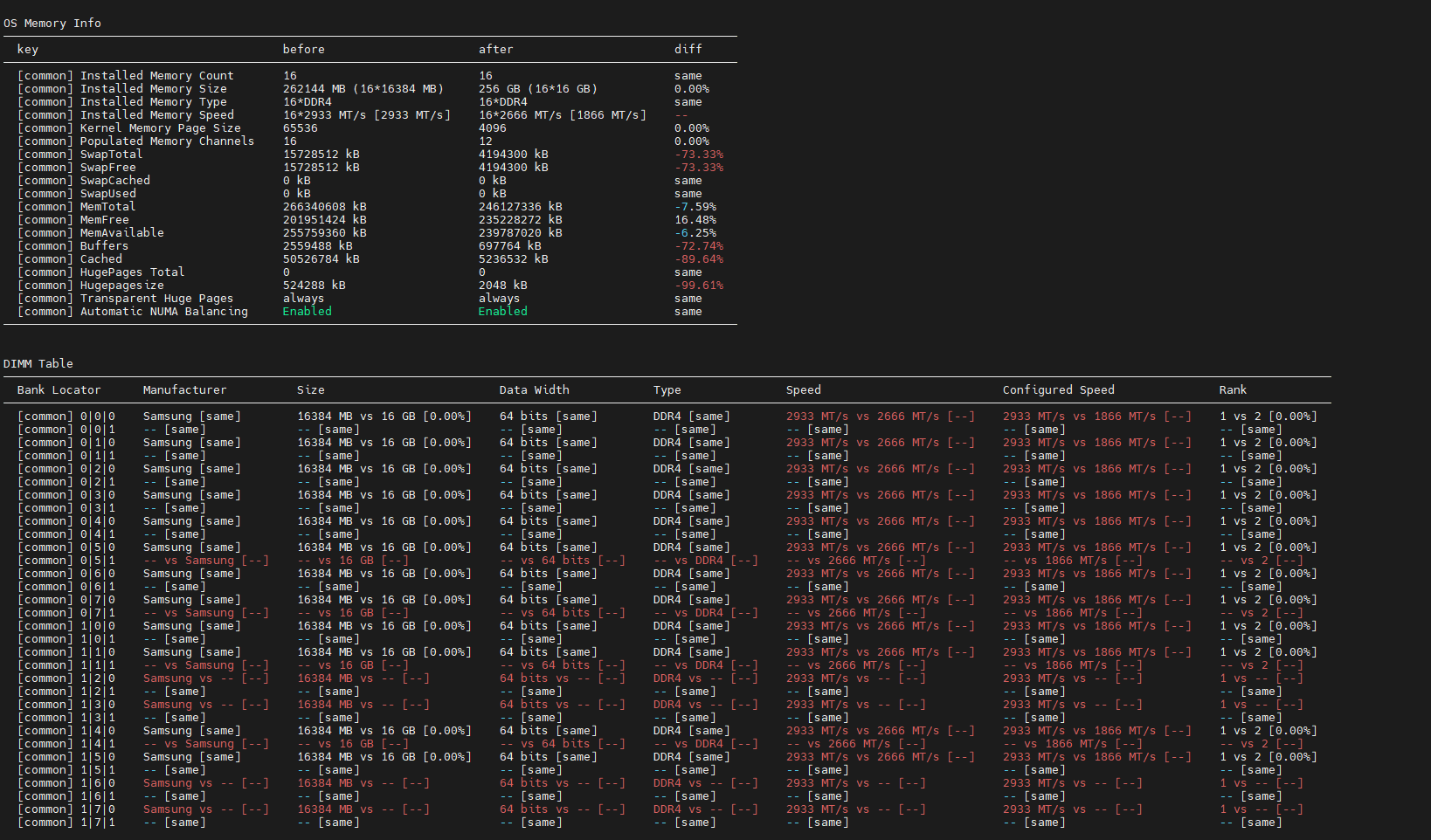
Figure 3 Memory information