Creating a QCOW2 Image for a cVM
This section describes how to create a QCOW2 image, which is required for starting a cVM.
- Install the dependencies.
yum install dnf-plugins-core grub2-efi-aa64-modules libguestfs qemu-img virt-install guestfs-tools cloud-utils-growpart nbdkit ncurses-devel openssl-devel elfutils-libelf-devel dwarves
yum groupinstall "Development Tools"
- Pull the script file.
git clone https://gitcode.com/openeuler/virtCCA_sdk.git
cd virtCCA_sdk/cvm-image-rewriter/
- Check that libvirtd is installed and start it. For details about how to install libvirtd, see Deploying libvirt.
systemctl start libvirtd
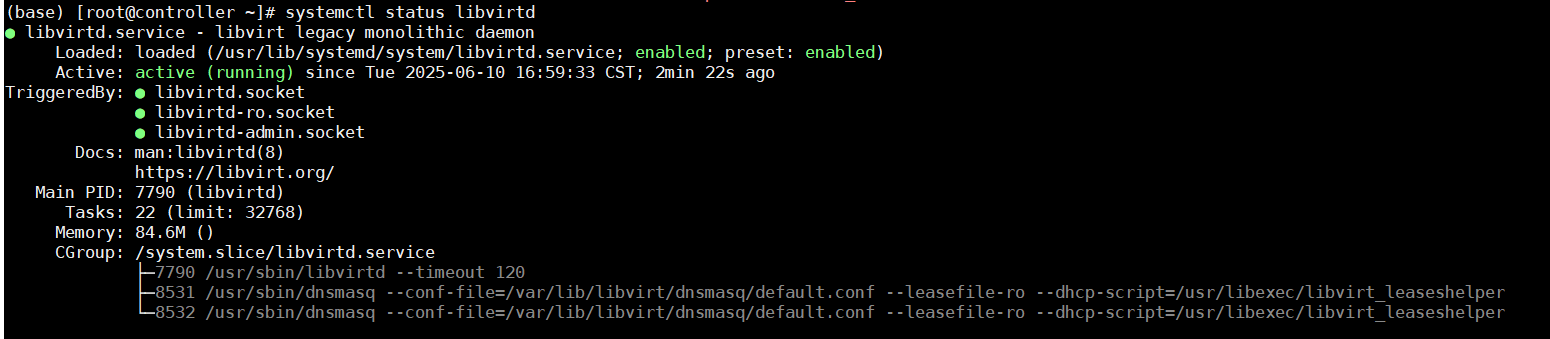
- After the libvirtd startup process is complete, check the libvirtd status. If the status is "active (running)", libvirtd has been started successfully.
systemctl status libvirtd
- After executing the create-oe-image.sh script, a QCOW2 image and the cVM image measurement baseline value file image_reference_measurement.json are generated in the current script directory.
export LIBGUESTFS_BACKEND=direct
sh create-oe-image.sh -v 24.03-LTS-SP3  -s 10
The create-oe-image.sh script supports two modes: image creation mode and measurement mode. Table 1 describes the parameters.
Table 1 Parameters for the two modes Script Mode
Parameter
Description
Image creation mode
-v
Version number.
-p
Sets the root password for the image.
-s
- (Optional) Expands the image space. The default image space is 40 GB.
- The /var/tmp folder is used by default for space expansion.
-o
(Optional) Specifies the image output path. If you do not set this parameter, the current script path is used by default.
-f
(Optional) Forcibly runs the script again and deletes the downloaded files.
-k
(Optional) Compiles and installs the KAE driver.
Measurement mode
-i
Measures a specified image. After the measurement is complete, the cVM image measurement baseline value file image_reference_measurement.json is generated in the current directory of the script.
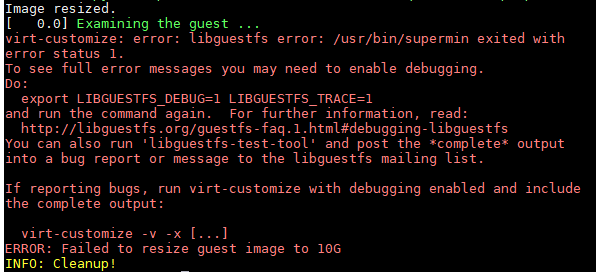
- If an error message is displayed indicating that the space is insufficient in image creation mode, run the following command to replace the current folder with a folder with sufficient space:
export TMPDIR=/home/xxx
- The script cannot specify both the image creation mode and the measurement mode at the same time. Only one mode can be selected per execution.